I’m really getting hard core geek territory with this. Tmux stands for Terminal Multiplexer. It can simulate multi-tasking working from the command line in Linux, OS X or Windows 10 using Windows Subsystem for Linux. It allows you to break up a command line window into multiple panes like in the image below.
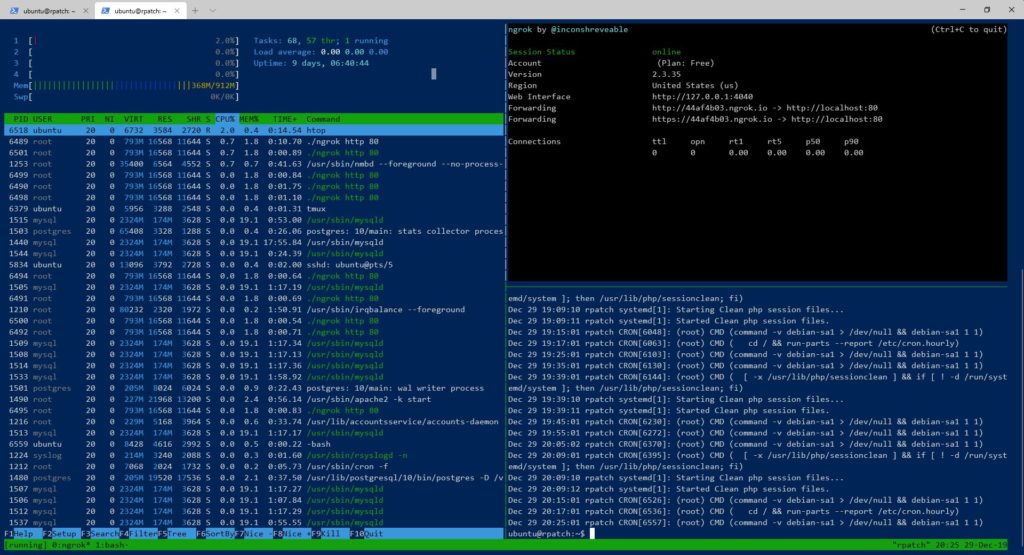
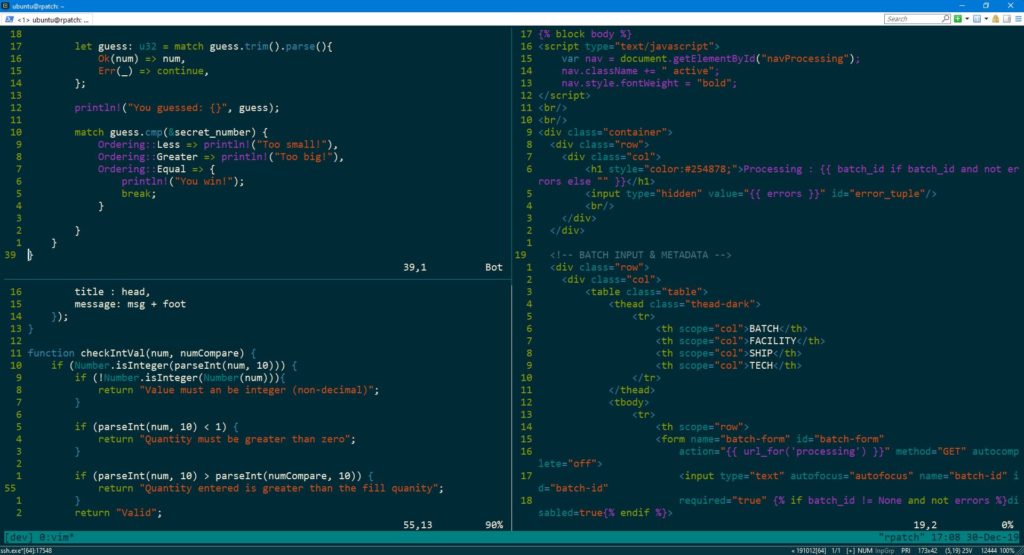
And you can also add another “window” with multiple panes to switch. You could setup one for system monitoring and another one to edit text files with or anything that you need.
One of the coolest things for me since I am very cheap is that Tmux can keep sessions open on the machine you log into after you close the terminal app. For example I’ve use something called the free version of ngrok ( yes another goofy open-source term) to tunnel a website out to public internet from a Raspberry Pi. Normally if I started it from an SSH session it would be closed when I closed the app but if I ran it inside a tmux session it would continue running in the background. And you can reopen the session when log back in or kill it if you don’t need it anymore. It makes working from a command only OS much easier.
Tmux Cheat Sheet & Quick Reference